Purchase Orders
This page explains how to create and manage Purchase Orders (POs) in Ultro ERP. A PO is the formal agreement with a supplier and is typically created after a Purchase Requisition (PR) is approved or after comparing supplier quotations.
Create a Purchase Order from an approved PR
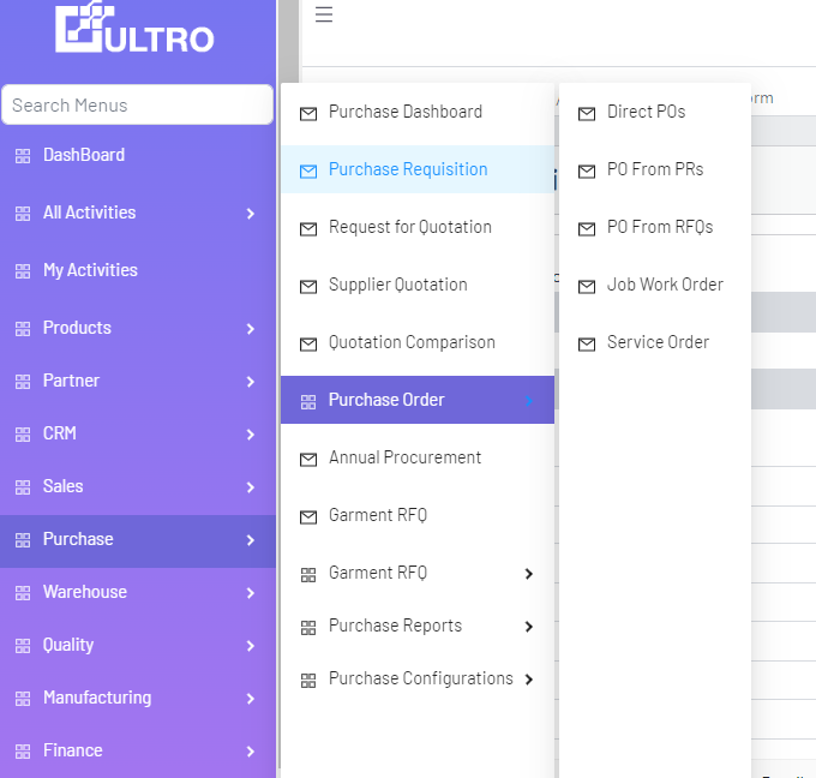
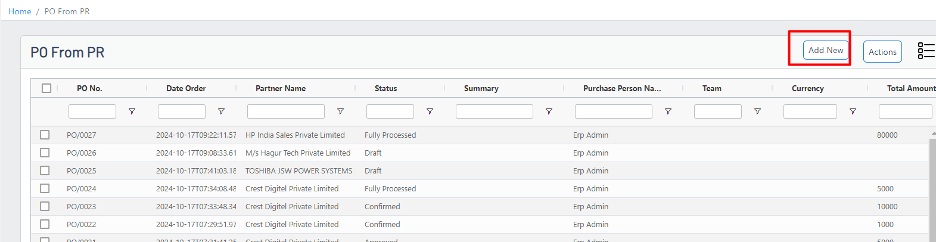
- Navigate to Purchase → Purchase Order → PO from PR → Add New.
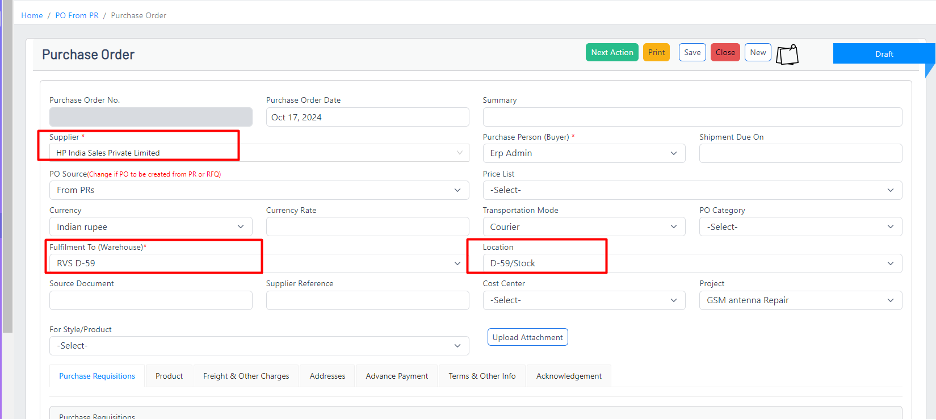
Fill mandatory header fields
- Vendor: Select the supplier for the order.
- Warehouse: Specify the receiving warehouse so stock is reserved correctly.
- Expected Date: Enter the expected delivery date for the items.
Load lines from an approved PR
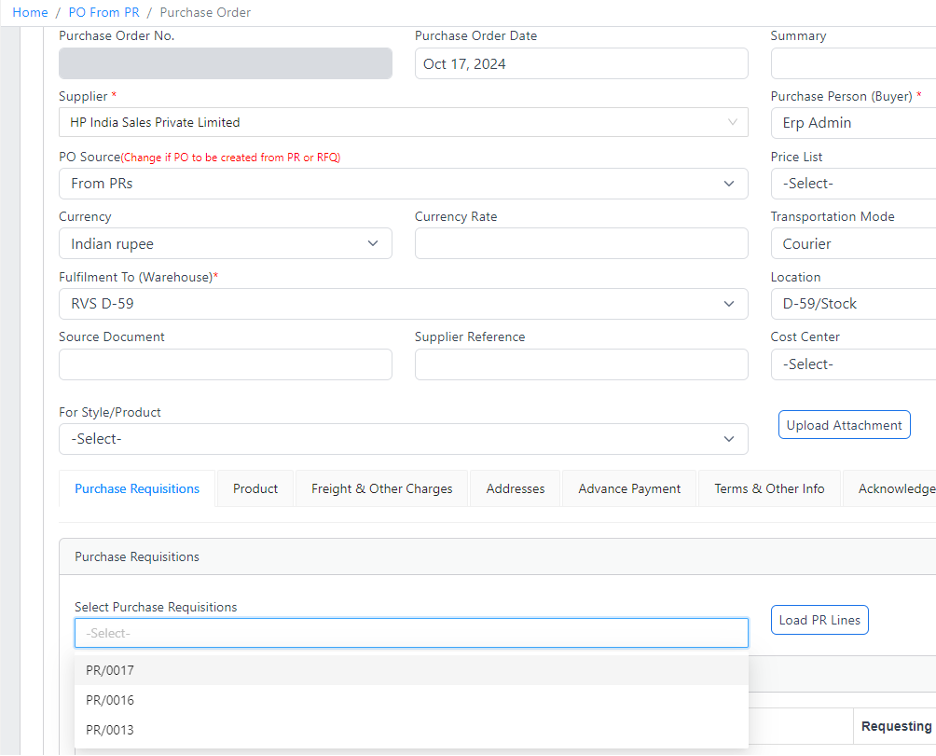
Use the PR Field to load lines from an approved Purchase Requisition. This saves data entry and ensures the PO reflects approved quantities and descriptions.
- Select the relevant PR in the PR field.
- Click Load PR Lines to auto-fill the product lines from the requisition.
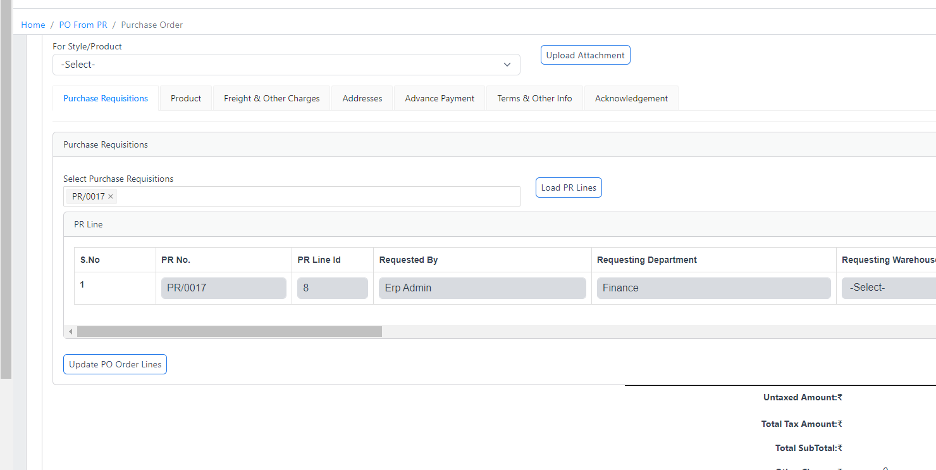
Review each line in the Product tab. Adjust PO Quantity where required and click Update PO Order Lines to apply changes.

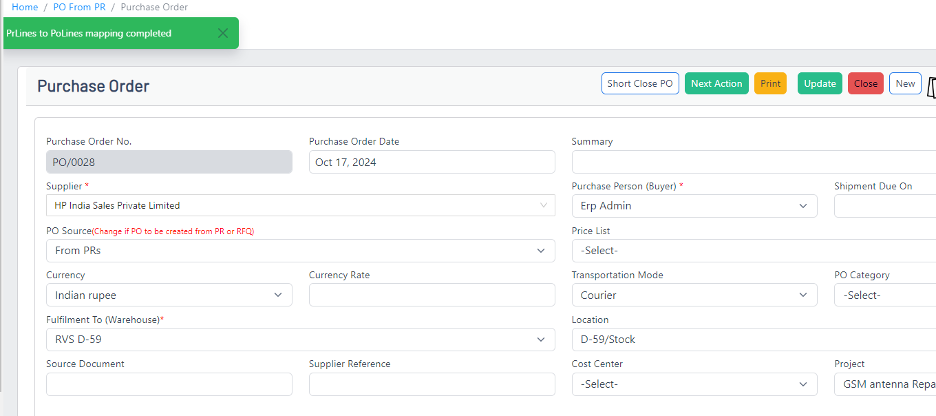
Line-level details and updates
- Verify UOM, rate and line-level taxes before finalizing the PO.
- Use the product tab to inspect on-hand quantities and confirm that ordered quantities are valid for the selected location.
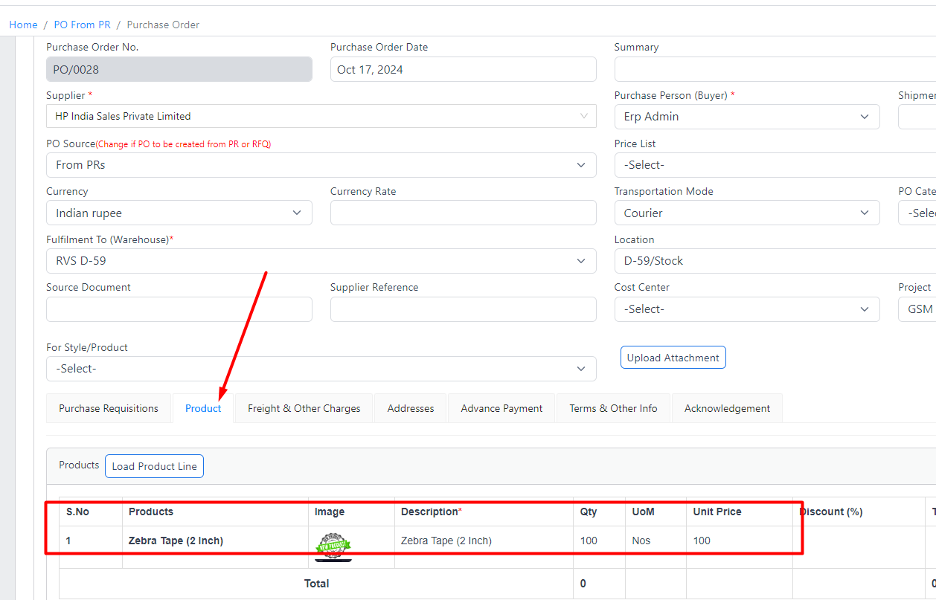
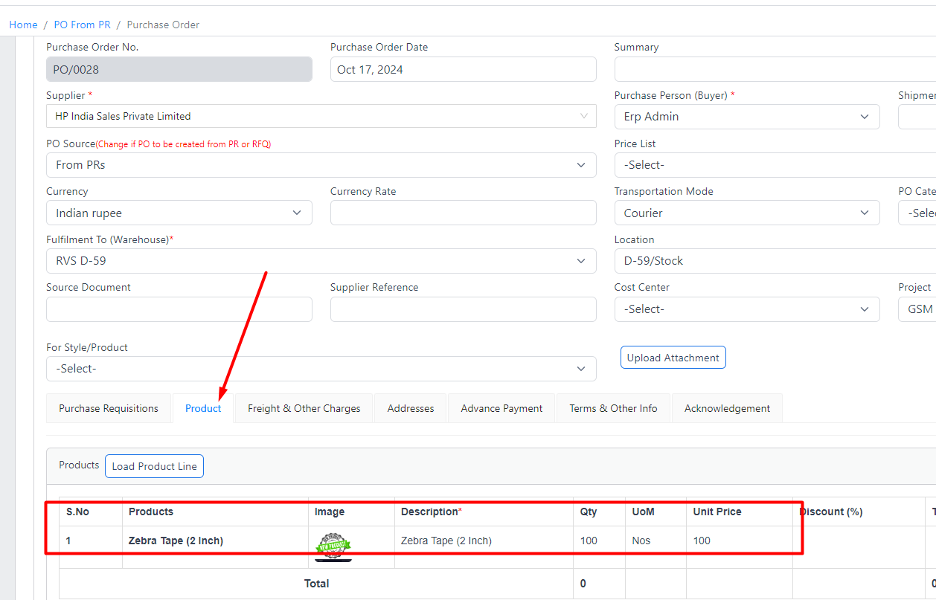
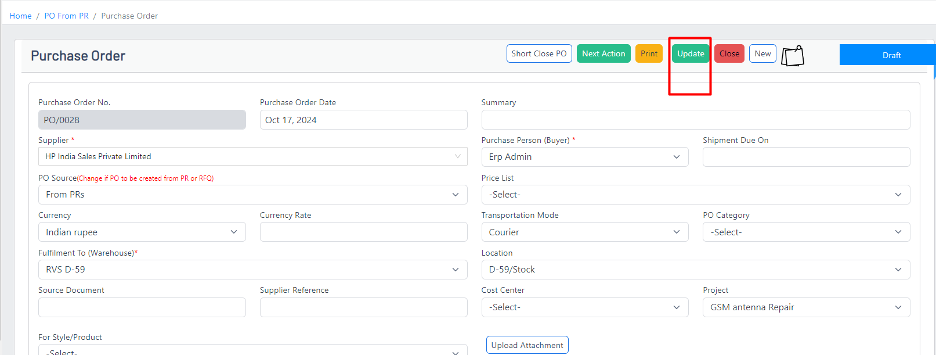
Click Update to save line changes and confirm the PO totals.
Send PO for approval
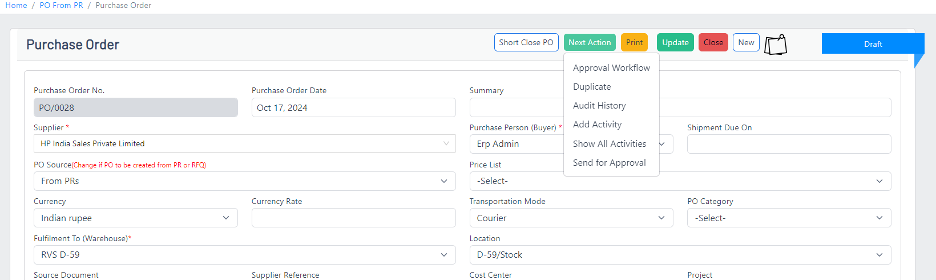
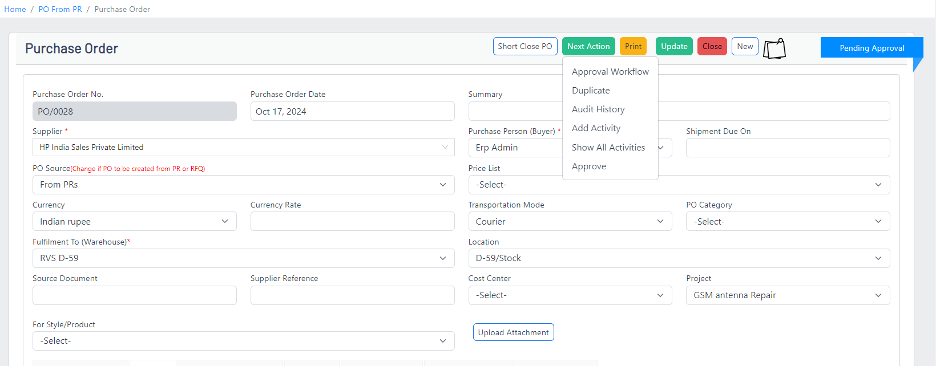
When the PO is ready, click Next Action → Send for Approval to commence the configured approval workflow.
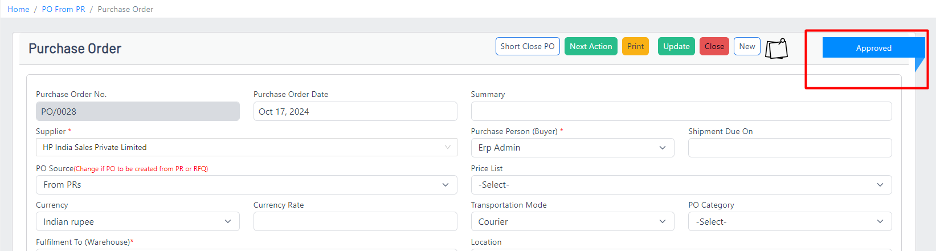
After approval the PO status will change from Pending Approval to Approved.
After approval
- Create Goods Receipt / Service Receipt to record delivery and trigger inventory and accounting updates.
- Convert the PO to supplier invoices for payment processing.
Tips & best practices
- Prefer loading approved PR lines to keep the procurement trail clear and auditable.
- Double-check delivery dates and receiving warehouse to prevent misallocated stock.
- Use price lists and negotiated rates where possible to reduce manual pricing mistakes.
Rewritten and expanded from Ultro Knowledge Base content to add practical guidance and best practices.